November brought one of the most substantial quality-of-life releases this year.
From the introduction of the new Publisher Account to expanded UI Builder capabilities and flexible project metadata, this month focused on helping teams stay organized at scale — especially those managing multiple titles, packages, and collaborators.
Let’s take a closer look at what changed.
New Major Feature — Publisher Account (Available by request)
For studios operating multiple games — or those coordinating across internal teams — November’s headline feature is the new Publisher Account.
This foundational addition brings a structured, scalable way to organize projects, manage access, and standardize internal workflows.
Publisher Account capabilities include:
- Portfolio-wide project collection: View and manage all projects under one publisher umbrella.
- Granular member permissions: Define clear roles, responsibilities, and access levels.
- Role support at both Publisher and Project levels: Flexible setup for cross-functional teams.
- Simplified internal package management: Create, share, and maintain private packages more easily.
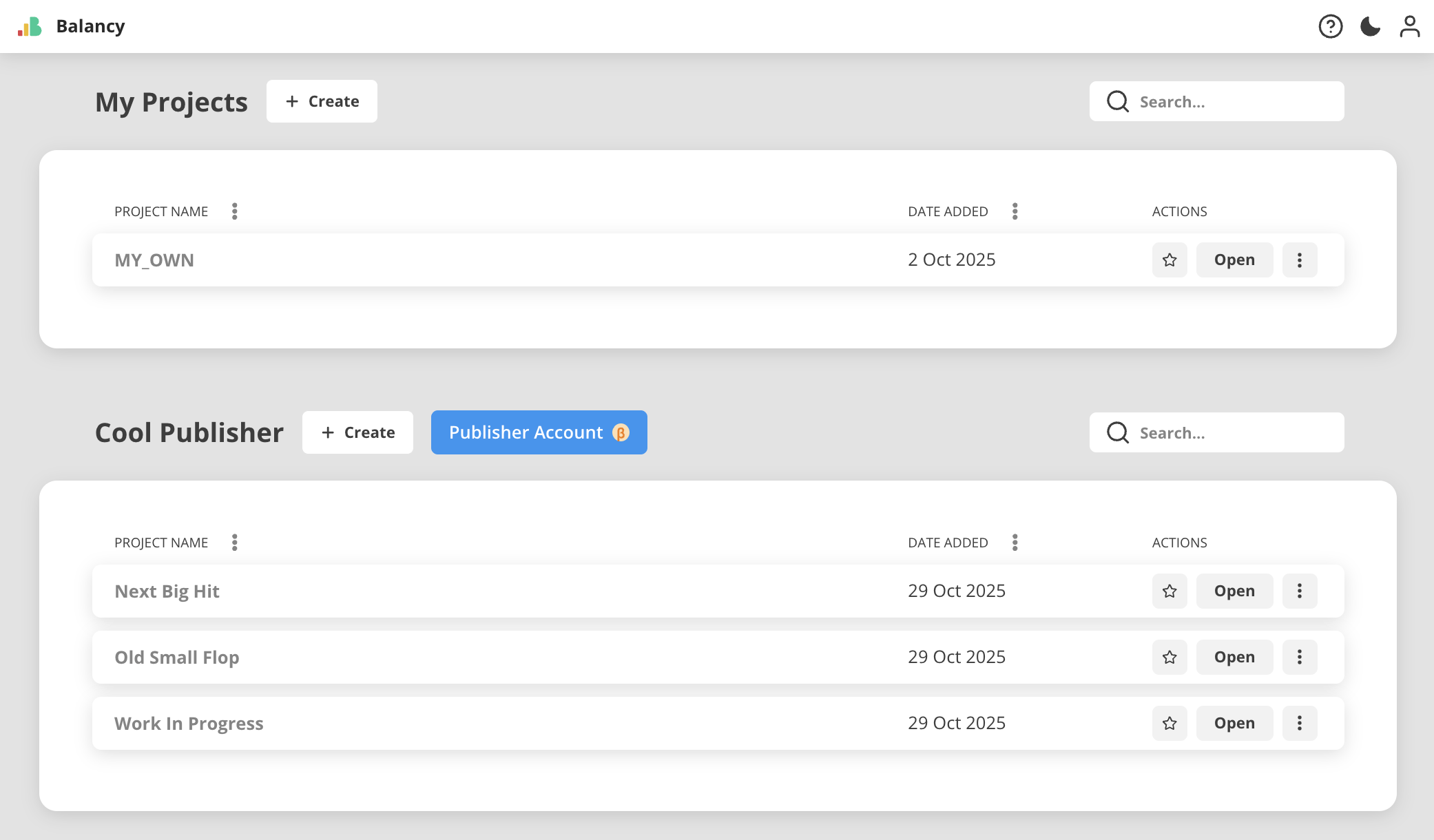
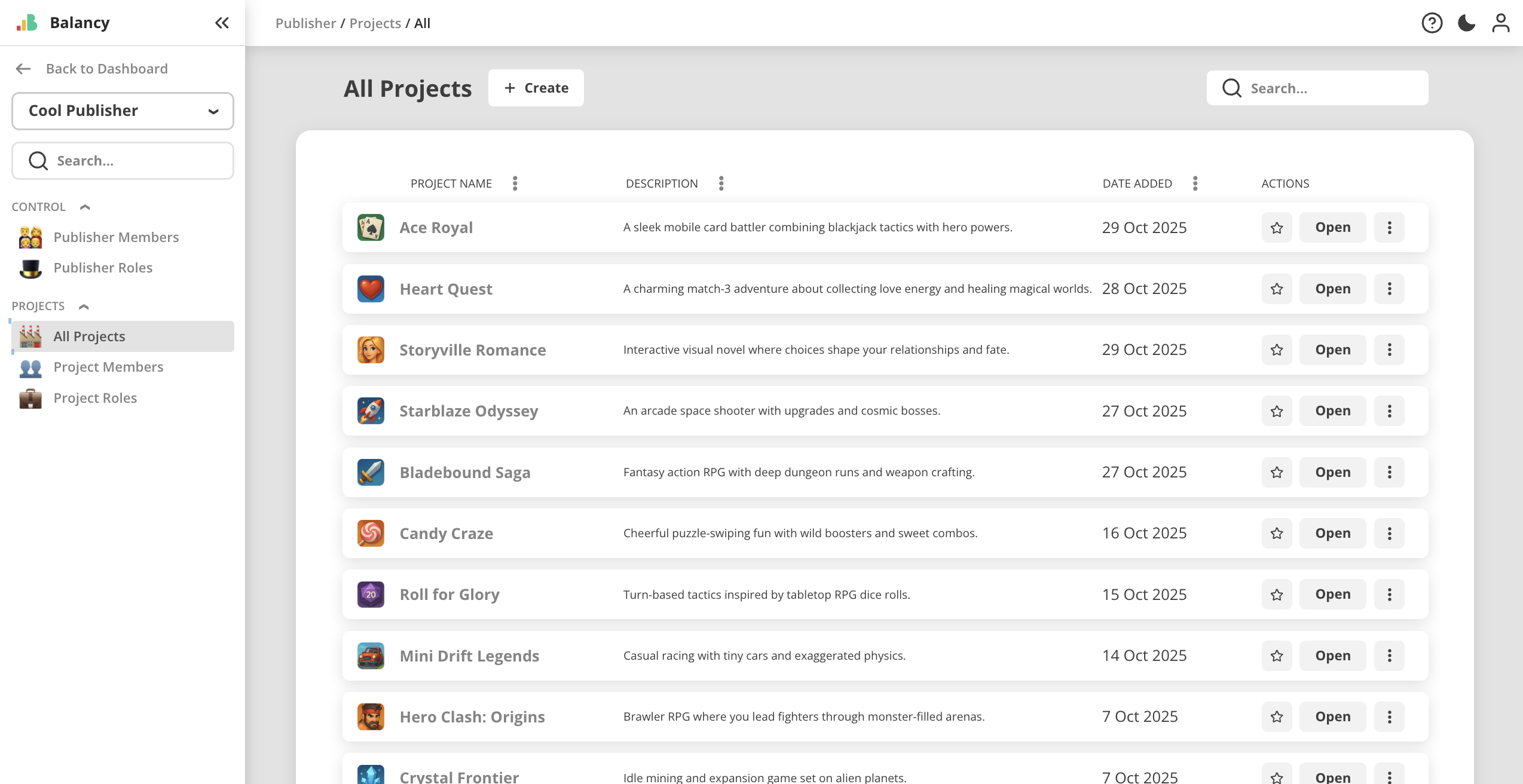
This upgrade helps larger organizations centralize their LiveOps operations while maintaining clarity, control, and consistency across titles.
Project Settings Improvements
A set of important refinements landed in November to help studios document and present their projects more effectively.
Project Renaming & Descriptions
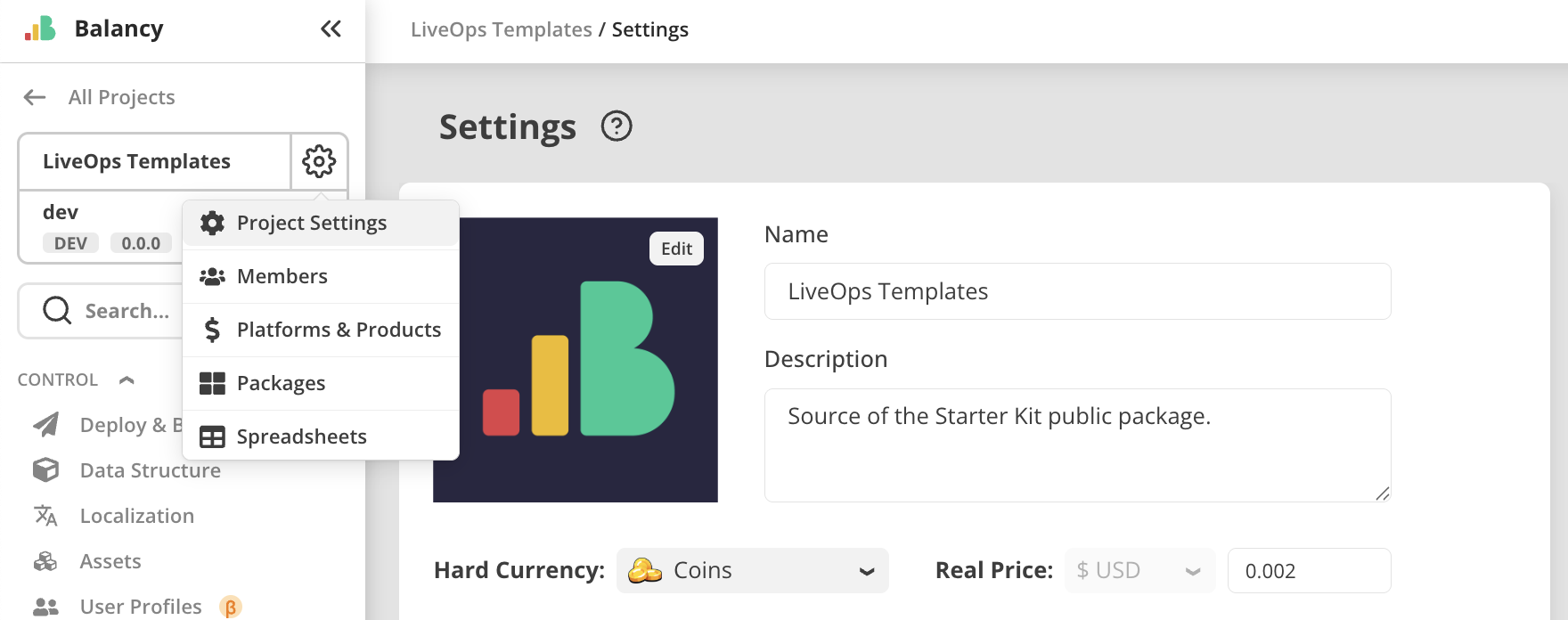
You can now rename projects and add a descriptive summary directly in Project Settings.
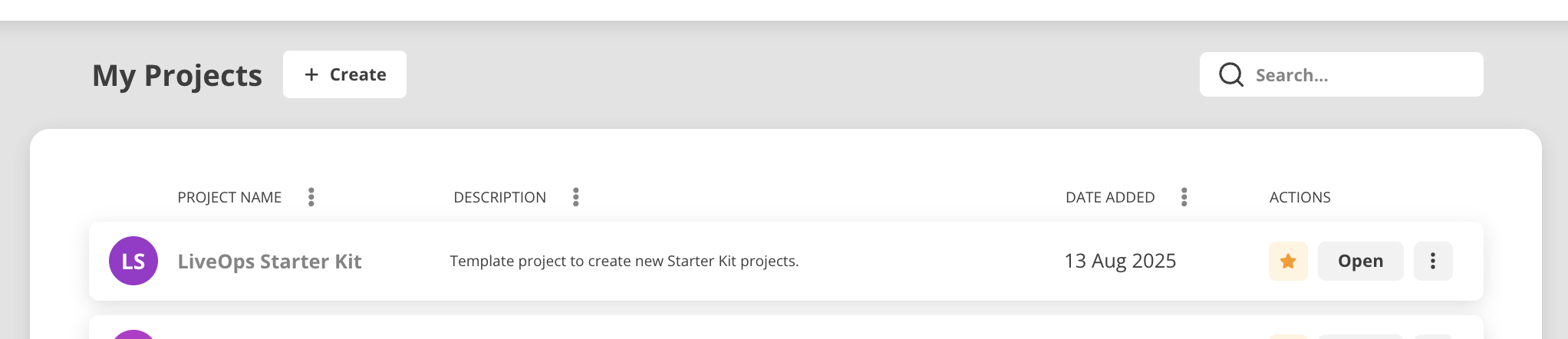
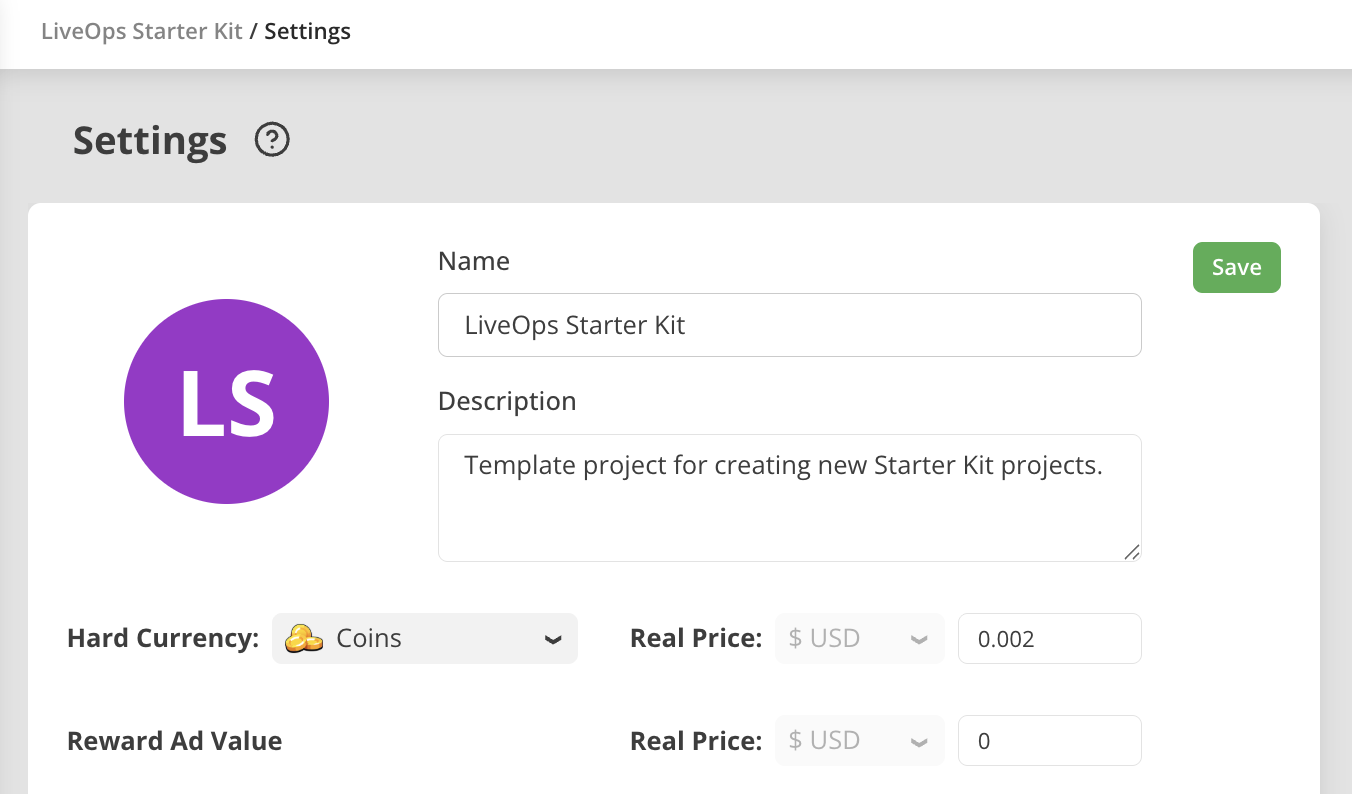 These descriptions are visible on the “My Projects” dashboard, making it easier for teams with multiple environments or test projects to stay organized.
Project Icons
A new project icon field has also been added, helping teams visually distinguish projects in larger portfolios.
Project Labeling Enhancements
Projects on the dashboard now include a colored abbreviation for clearer visual separation — with icon support expanding on this in future updates.
These changes collectively improve navigation and reduce the operational overhead of managing many LiveOps environments.
Packages Page — Complete Restructure
The Packages page received a major reorganization to support both Balancy-created packages and studio-created internal tooling.
It now contains three clear tabs:
- Public — official Balancy packages for general use
- Private — user-created packages for internal workflows
- Manage — tools for creating and maintaining new packages
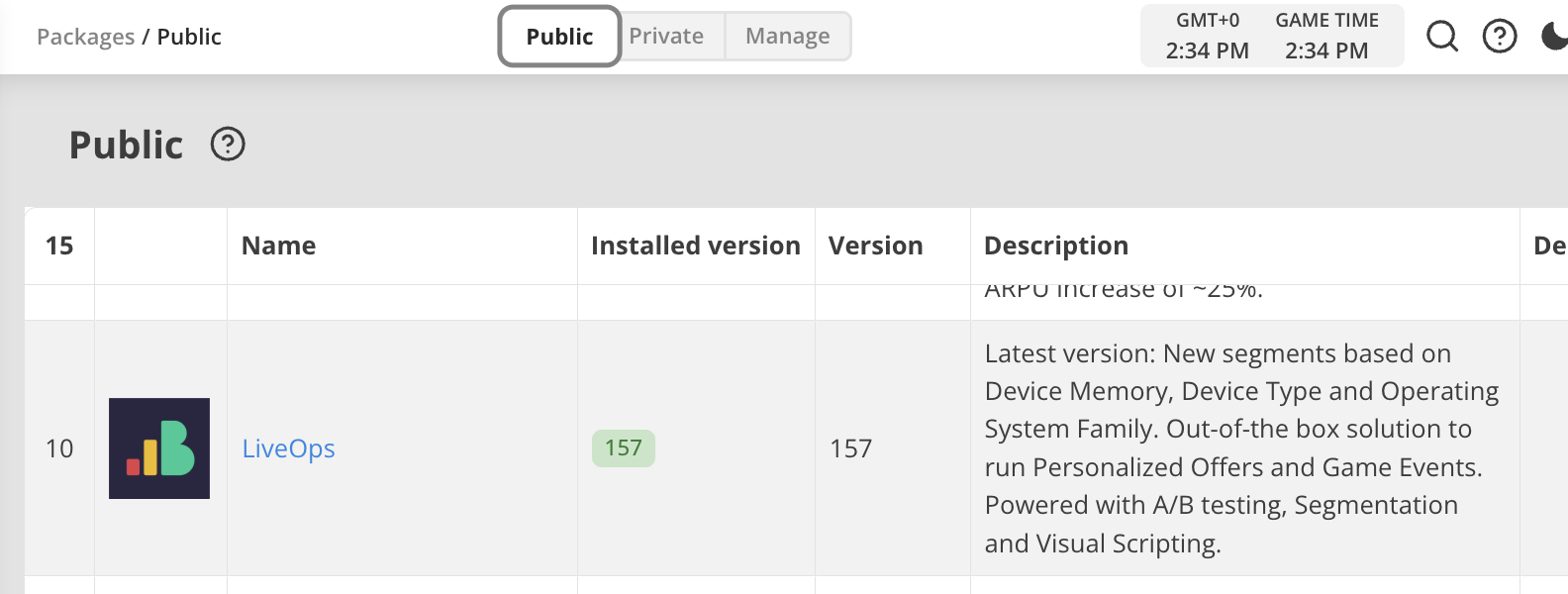
This separation makes package discovery cleaner and gives teams a more professional workflow for maintaining internal systems.
UI Builder Enhancements
November continued the steady evolution of UI Builder, delivering both creative and functional improvements.
New JavaScript Editor
A modernized JavaScript editor is now integrated into UI Builder, introducing:
- A cleaner, more responsive editing experience
- Save confirmation to prevent accidental loss
- A read-only tab showing Balancy Bridge source code for easy reference
Real Device Screen Overlay
UI Builder now includes an overlay for real mobile device screen sizes, helping designers plan layout, safe zones, and scaling more accurately.
Audio Support in UI Builder
Building on recent audio updates:
- Audio assets can now be uploaded directly on the Assets page
- Buttons in UI Builder can now use these audio clips
- UI Builder automatically checks and updates Localised Strings when opening Views
Reverse-Spin Animation
A new “reverse-spin” animation has been added under CSS Extra styles for teams refining loading, feedback, or animated indicators.
These changes help teams iterate faster, preview more accurately, and create higher-quality interfaces directly inside Balancy.
Override Comment Improvements
Override comments were redesigned to save horizontal space and improve clarity:
- Comments now live behind an (i) icon in the right-side panel
- Tooltip previews appear on hover
- The panel now includes a consistent “Delete section” control
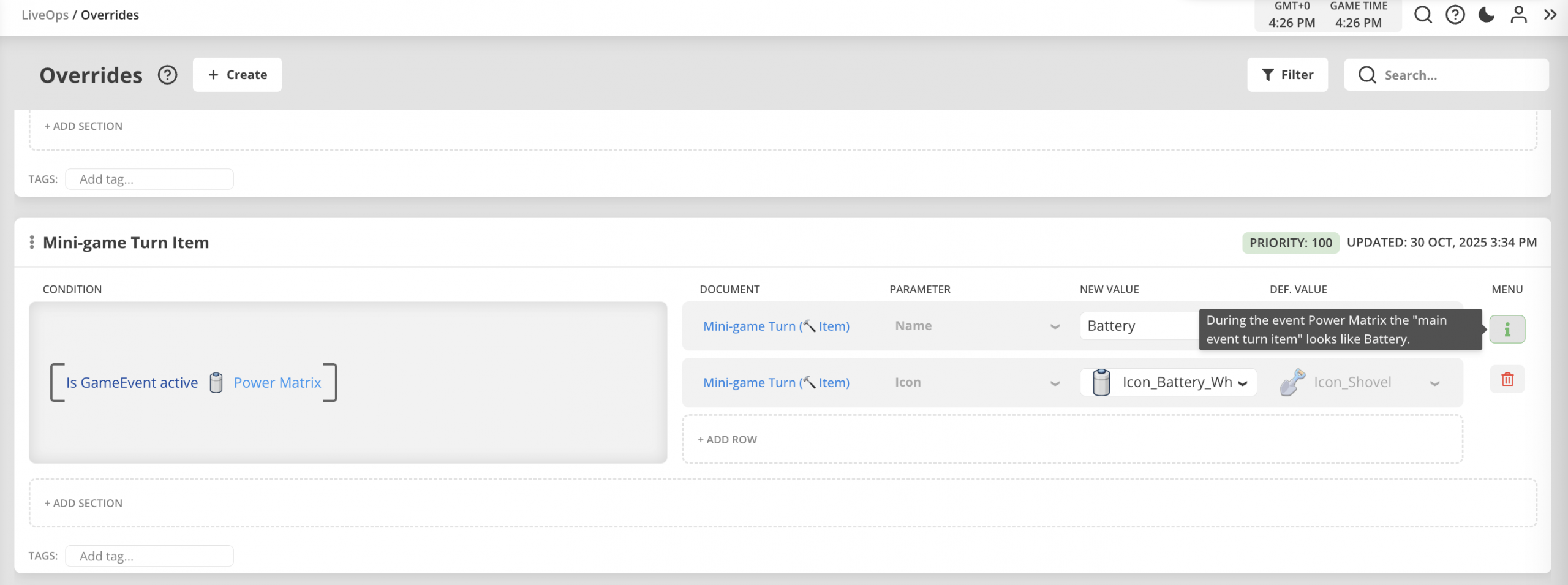
A small but meaningful change that helps keep override panels cleaner and easier to navigate.
Additional Audio Improvements
Audio support continues to expand across the platform:
- Audio is now a first-class asset type
- Button components can be configured with audio cues directly in UI Builder
This reinforces Balancy’s growing role as a tool for crafting not only logic and data — but the full player-facing experience.
Why It Matters
November’s updates strengthen Balancy as a platform for large, multi-project organizations and creative LiveOps workflows.
The addition of Publisher Accounts, improved project metadata, a more structured Packages system, and deeper UI Builder tooling provides a solid foundation for studios managing complex LiveOps pipelines.
This month brought:
- Better team structure
- Better project clarity
- Better UI workflows
- Better audio and interaction support
Together, these upgrades help teams move faster, stay aligned, and maintain higher-quality LiveOps systems at scale.
Wrapping Up
November was a significant month for organizational capability and interface development.
From portfolio-level management to streamlined packages and improved UI Builder tools, this release pushes Balancy toward a more cohesive, scalable ecosystem for studios of all sizes.
And with December still ahead — the final update of the year — the next step is tying all these advancements into a unified year-end highlight.