The most common reason game teams delay adopting new tools isn’t cost, it’s the fear that migration will take months and break something that’s already working.
With Balancy, both assumptions are wrong. We wrote this article to show you exactly what getting started with our LiveOps platform looks like.
The timeline
Before we go through the integration steps, the honest answer to “how long does this take?”
The short answer:
→ Days to get started. Weeks to roll out properly.
→ Without disrupting your current setup.
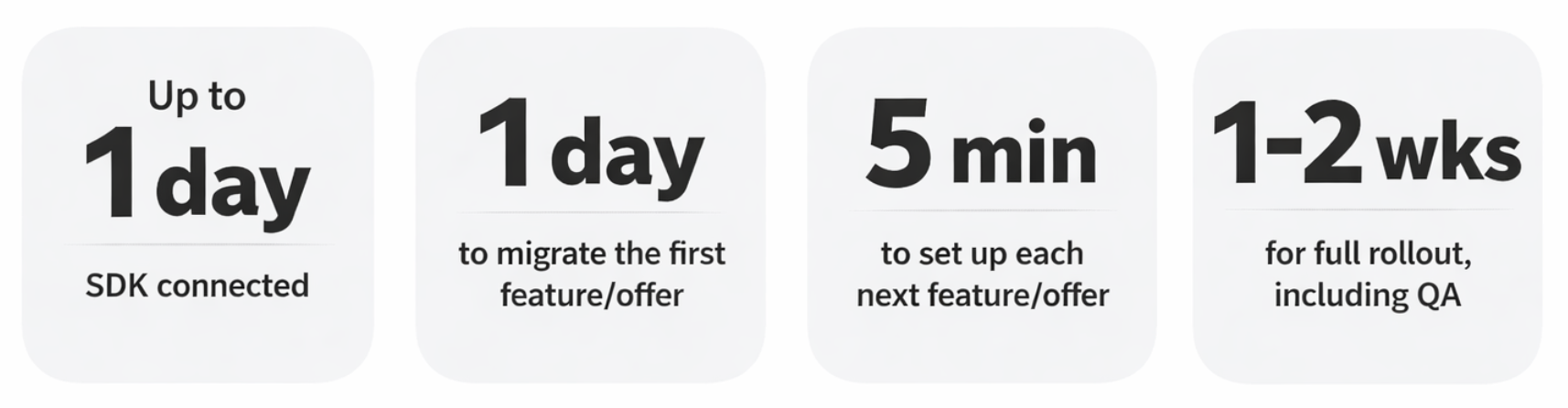
Here are some estimates provided by the Balancy engineering team and our clients:
The key to successful integration
These aren’t best-case numbers. They reflect what teams consistently experience once they understand the core principle behind Balancy: you never have to migrate everything at once.
Balancy can run alongside your existing system, be that in-house or Firebase, as long as you want. That means:
- You don’t need to replace the full legacy at once;
- You don’t need to pause your roadmap;
- You don’t need to hire additional devs.
Instead, you integrate gradually, feature by feature.
A note for publishers
If you’re a publisher or studio managing multiple games that follow a similar playbook, the integration process has one key difference. Rather than starting from scratch each time, most publishing teams begin by setting up a core framework in Balancy — this initial setup takes more time, but it’s a one-time investment. Every new game after that simply clones it as a template, making each subsequent integration significantly faster.
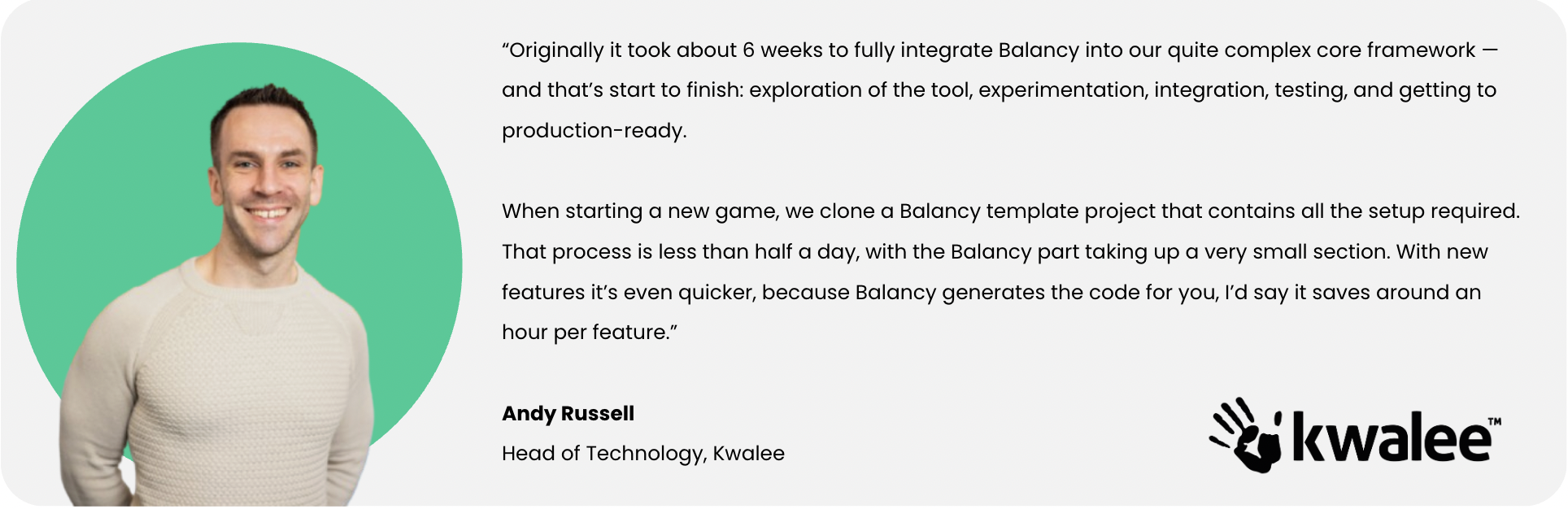
Mobile game developer and publisher Kwalee experienced this firsthand:
Step-by-step integration guide
Step 0: Choose your scope (before writing a single line of code)
Your first decision is how much of your LiveOps you want to move to Balancy. You have three options:
- Start fresh: launch new LiveOps in Balancy while keeping your legacy system running as-is;
- Migrate everything: not all at once, but broken down into milestones distributed across sprints;
- Migrate selectively: move only the systems where speed matters most, such as offers where your team is actively testing pricing and visuals and needs remote configuration.
The third, hybrid approach is by far the most common among teams migrating live games to Balancy.
Step 1: SDK integration (~1 day of engineering)
Your engineering team adds the Balancy SDK and connects the client to the platform. This is a single day of work, not a sprint.
Share this documentation with your developer handling the integration. It includes a step-by-step guide to adding the plugin.
BUILT-IN SUPPORT
Balancy includes an AI assistant directly inside the platform. Developers can ask “How do I initialize the SDK in Unity?” or paste a console error and get step-by-step guidance, code snippets, and troubleshooting help – without waiting on documentation or back-and-forth with support.
Step 2: Import your game economy
Bring your core data into Balancy: items, currencies, boosters. You don’t need to import everything; only the items you plan to use in LiveOps run through Balancy.
The fastest method is a spreadsheet import (learn how in this documentation). Alternatively, you can add items manually.
Step 3: Start with one feature
We recommend starting with your in-game shop or a single offer. Why? Because it’s the fastest to implement, has the most direct monetization impact, and gives you a clear before/after comparison with your current system.
As soon as one system is connected, you don’t have to wait for full migration to start benefiting. From day one of connection, you can:
→ Personalize offers per player segment;
→ Update content instantly (no new builds required);
→ Run A/B tests on live content;
→ React to player behavior in real time.
Step 5: Go live with your first feature
Before anything goes to production, test your first feature with QA. This lets you catch issues before they reach live players, leaving no risk of shipping something broken.
BRANCHES
Balancy makes QA and deployment cleaner than it sounds: built-in git-like branches keep your work fully isolated. When you push a feature to QA or production, only that branch goes live; other features in progress remain untouched without their changes accidentally shipping alongside yours.
Once you’re satisfied, push to prod and monitor the results.
Step 6: Expand at your own pace
Once the first feature is running, the rest follow the same pattern, just faster. More offers, events, segmentation logic, and a full LiveOps calendar. Each step builds on the last.
REAL SCENARIO
Let’s say you have 20 offers to migrate. The first one takes roughly a day – that’s the learning curve. Every offer after that takes about 5 minutes, so the remaining offers can be handled in less than a day. If we add some time for QA testing and going live, you are realistically looking at 1-2 weeks work of 1 developer, where Balancy integration takes just part of their day.
What if you could launch a LiveOps calendar as polished as Royal Match in just a few minutes? Watch our CEO Pavel Ignatov doing exactly this with the help of the Balancy platform.
After the initial setup, your engineering team steps back. LiveOps and product teams handle offers, events, configs, and experiments directly. Engineers stop being a bottleneck.
What makes integration low-risk
NO FORCED MIGRATION
Your current system keeps running. Balancy runs side-by-side with whatever you have today.
FEATURE-BY-FEATURE
You control the scope. Start with one feature, and expand only when you’re confident. Reverse course at any point during testing.
ROADMAP-SAFE
No need to pause other work. Integration happens in parallel (typically 1–2 weeks total), alongside everything else your team is shipping.
HUMAN SUPPORT INCLUDED
A dedicated channel from day one. When you start working with Balancy, a shared Slack or Telegram channel is created for your team – real-time answers, not ticket queues.
Want to see how Balancy fits into your stack? Book a demo with our team — we’ll walk you through the platform and map out the best integration approach for your game.