Refinements across Publisher Accounts, UI Builder, and system properties — closing the year with usability and workflow improvements.
December was a month of thoughtful enhancements across some of the most frequently used areas of the platform. This release focused on clarity, precision, and small-but-important improvements that make everyday work in Balancy faster and more intuitive — especially for teams managing stores, assets, and multi-project environments.
Let’s take a look at what changed this month.
Publisher Account — More Control & Better Visibility
Following November’s major Publisher Account launch, December introduced several refinements designed to improve governance and collaboration across teams.
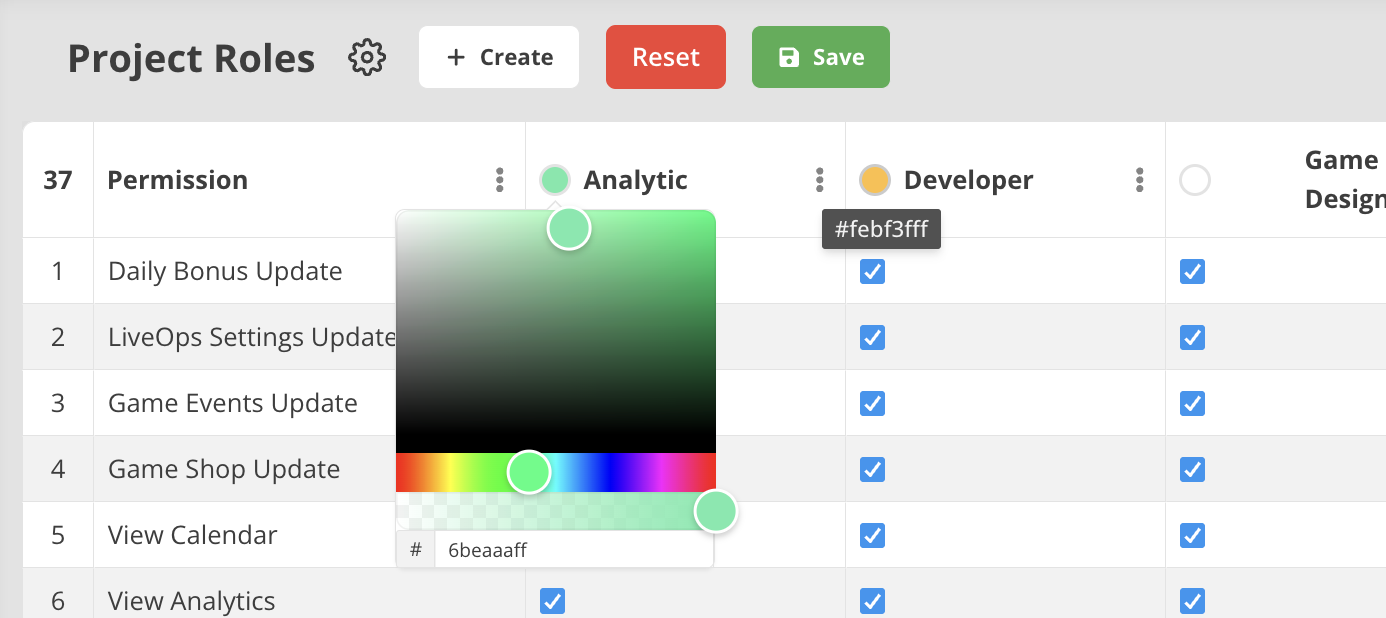
New Permission Controls
Publisher-level permissions now include options for:
- Cloning projects
- Deleting projects
This gives organizations finer control over who can duplicate or remove environments — especially useful in multi-team workflows or larger portfolios.
Role-Based Search
Members can now be searched by role, making it easier to locate producers, designers, LiveOps specialists, or engineers across projects.
Colored Roles
Roles now support individual colors, improving visual clarity in larger teams and making collaboration structure easier to read at a glance.
These updates help teams maintain cleaner access structures and avoid accidental project modifications — an important step for studios scaling LiveOps across multiple titles.
In-Game Store — View Visibility Improvements
The In-Game Store page has been updated to clearly display the View parameter.
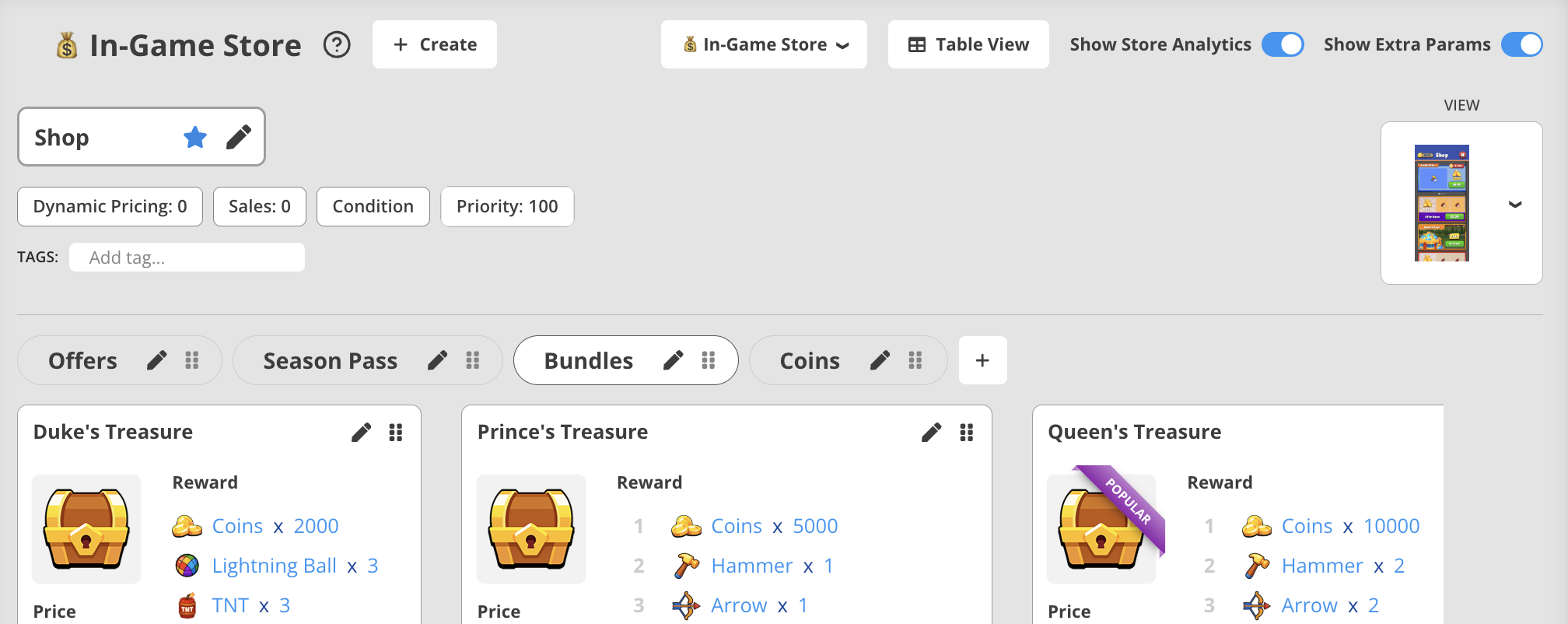
This makes it easier to:
- Confirm whether a shop is connected to a UI Builder View
- Validate store presentation alongside logic configuration
- Maintain alignment between design and LiveOps setup
A small change — but one that improves transparency and helps reduce misconfiguration risks when working with View-based store layouts.
UI Builder — Faster Asset & Layout Workflows
December introduced several quality-of-life upgrades to UI Builder that make asset handling and iteration smoother.
Reset Image Aspect Ratio
Image elements now support resetting Aspect Ratio back to the original asset values.
This is especially helpful when:
- experimenting with layouts
- reverting design experiments
- maintaining asset consistency across variations
Embedded Audio Player
For UI elements using sound:
- A built-in audio player is now available
- Sounds can be previewed directly inside UI Builder
This removes guesswork and speeds up iteration on button feedback, UI cues, and event sound design.
Inline Image Preview
Image elements now show a small thumbnail preview of the assigned asset — making it much easier to verify visuals without switching tabs.
Together, these improvements support faster visual iteration and reduce asset validation time for designers and LiveOps teams working in UI Builder.
🧩 System User Properties — Improved Date & Time Editing
Some system user profile properties can now be edited in proper:
- date-time format
- duration format
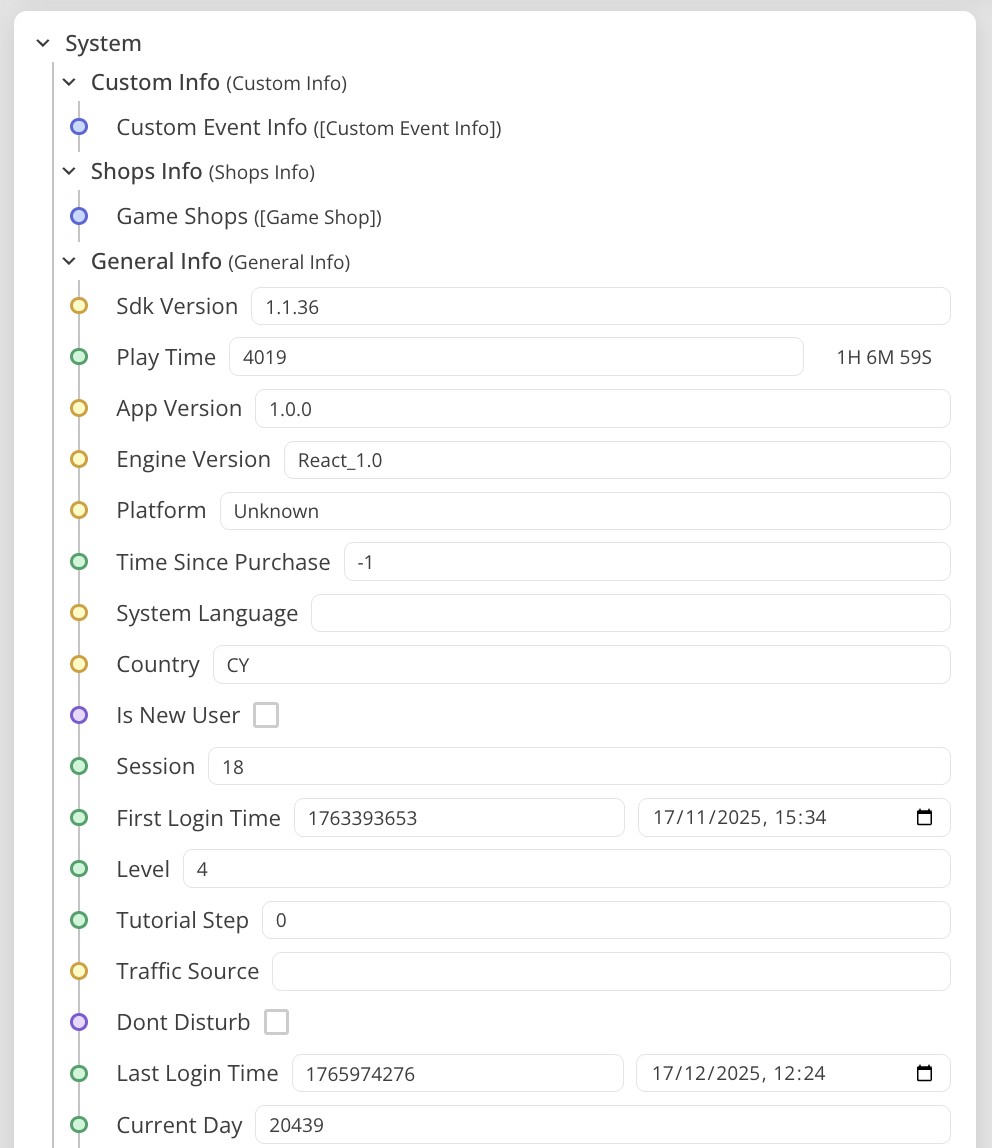
This enhancement:
- reduces manual formatting work
- improves data accuracy
- simplifies debugging and testing workflows
It’s especially useful when simulating user states during QA or testing time-based LiveOps logic.
Why It Matters
December’s release was about refinement, control, and usability.
Across the platform, these updates:
- strengthen Publisher Account governance
- improve UI visibility and debugging
- streamline asset workflows in UI Builder
- make system data editing more precise
They may look small individually — but together, they reduce friction in day-to-day operations and help teams move with greater confidence across projects, views, and stores.
Wrapping Up 2025
With December’s refinements, Balancy closes 2025 on a strong note — building on the foundations introduced throughout the year:
Structure.
Scalability.
Creative control.
The platform is now better equipped than ever to support:
- multi-project organizations
- collaborative LiveOps teams
- visual and gameplay-adjacent workflows
And 2026 will continue in that direction — expanding on everything we’ve built so far.