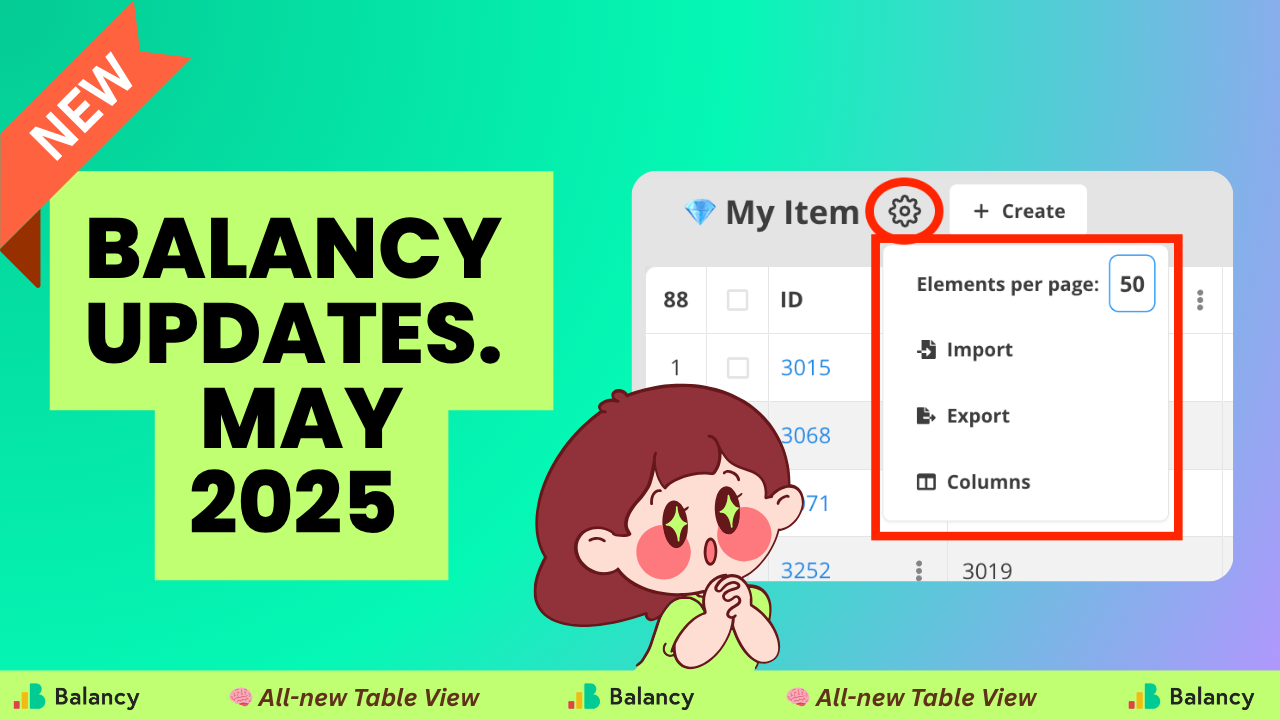
May was a month of power user upgrades — giving teams finer control over their data, assets, and scripting workflows.
From major Table View enhancements and Addressables synchronization to a brand-new Assets Scheduling system, Balancy took another big leap toward making LiveOps management as visual, flexible, and efficient as possible.
Let’s break it down.
Big Upgrade to Table Views
One of May’s largest updates was the complete overhaul of Table Views across the platform — a core area for almost every team working in Balancy.
New Table Settings
A new gear icon now opens Table Settings, giving you direct control over:
- Column visibility (previously a separate button, now unified)
- Documents per page (adjust manually — 50 by default)
Spreadsheet Import/Export (now accessible directly from the table for faster workflows)
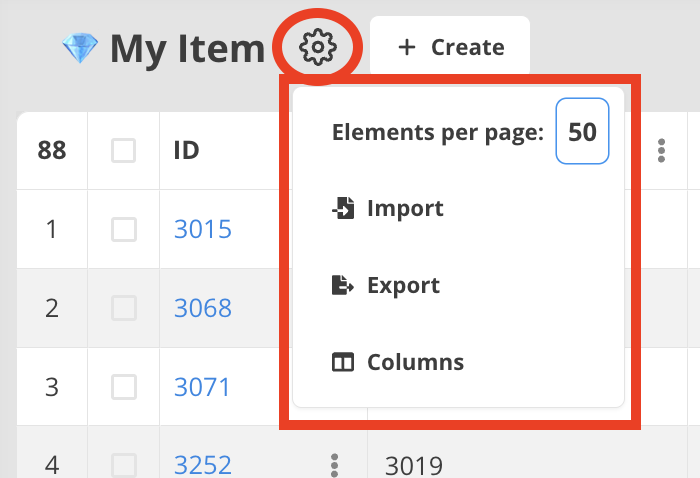
These new controls make it easier to customize your workspace for different tasks — whether you’re analyzing store items, testing A/B setups, or managing large batches of events.
In addition:
- Pagination was added to the Product Overrides page.
- LocalizedString parameters now set default values correctly.
- A/B tests support any custom % for target audience definitions.
In short: table management is faster, cleaner, and more flexible than ever.
Visual Scripting — Preparing for the Next Era
May also laid the groundwork for a major Visual Scripting upgrade coming later this year.
To prepare teams for smoother transitions, we’ve added new validation rules and safety checks:
It’s now forbidden to connect data flows between different control flows.
(This prevents invalid or unready data issues.)
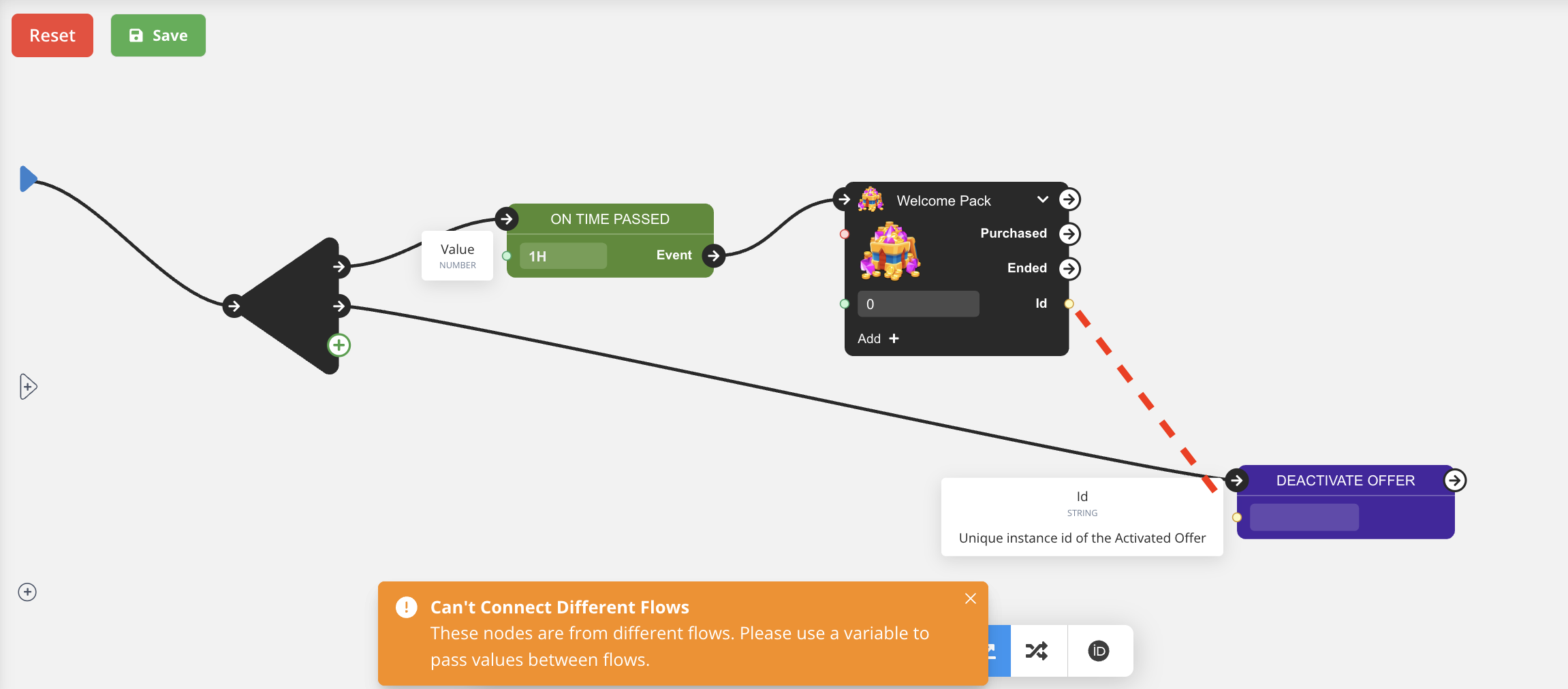
- When such a connection is attempted, Balancy now shows a warning with clear guidance.
- Best practice: use local variables to transfer data between separate flows.
This change improves script stability and ensures every logic chain behaves predictably — especially important as scripts grow more complex.
BalancyPlatform Condition
A small but powerful addition: you can now use the BalancyPlatform condition to check which platform your game is running on (based on the platform provided in Balancy.Init).
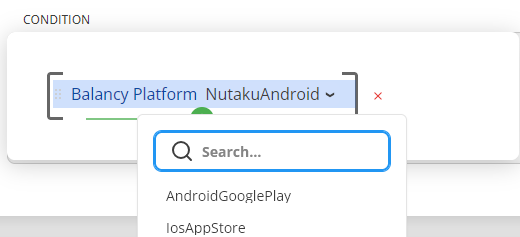
This makes it easier to branch logic between iOS, Android, Steam, Nutaku, or other environments — perfect for multi-platform games managing LiveOps variations.
Assets Scheduling — Smarter CDN Management
A standout update for May: introducing Assets Scheduling.
Teams can now schedule when assets stored in CDN should be:
- Downloaded to a device, and
- Removed from it.
This allows developers to prefetch or clean up assets based on event timing, campaign start, or content expiration — minimizing bandwidth usage and keeping local storage optimized.
It’s a big win for LiveOps-heavy games managing frequent content rotations.
New Full-Screen Table Edit Mode
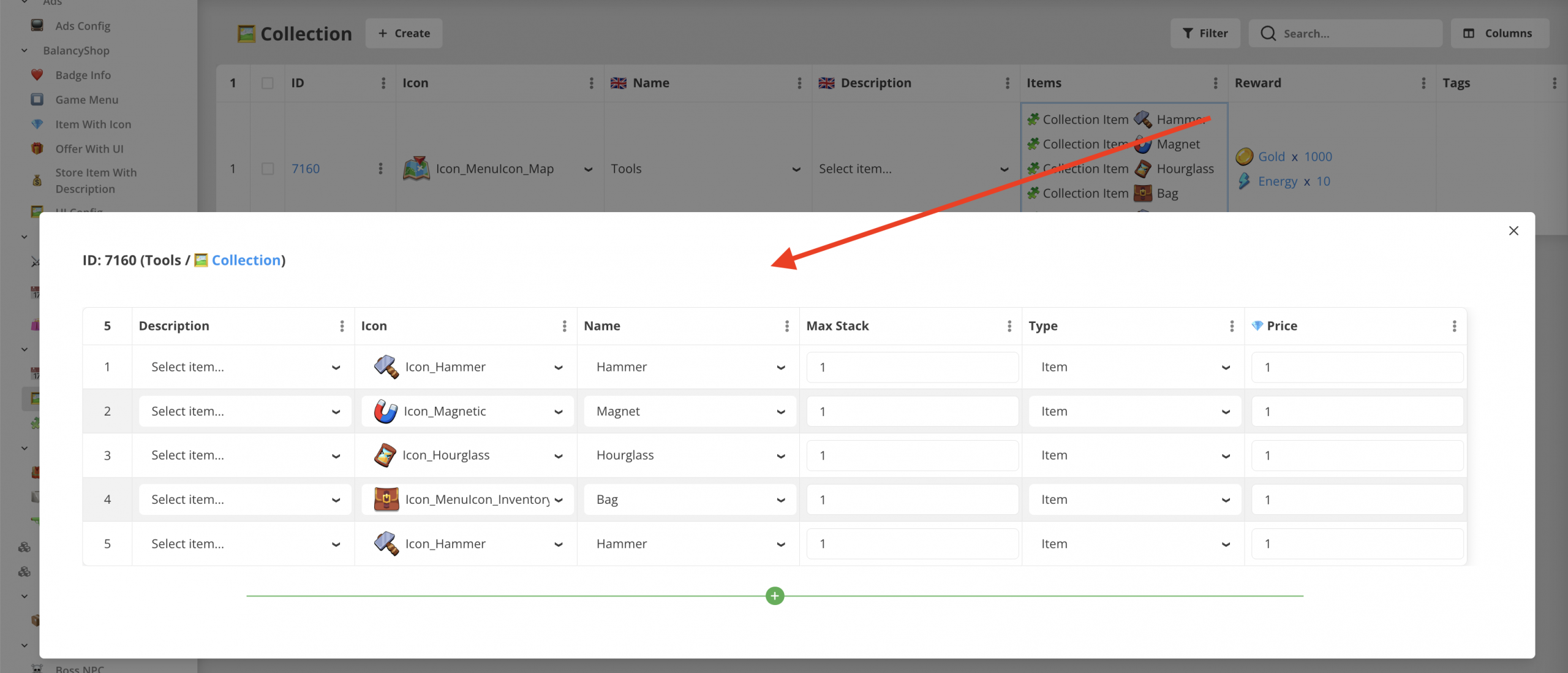
For template parameters of type List[Document], you can now edit them in full-screen table mode — seeing all document parameters at once while adding or reviewing entries.
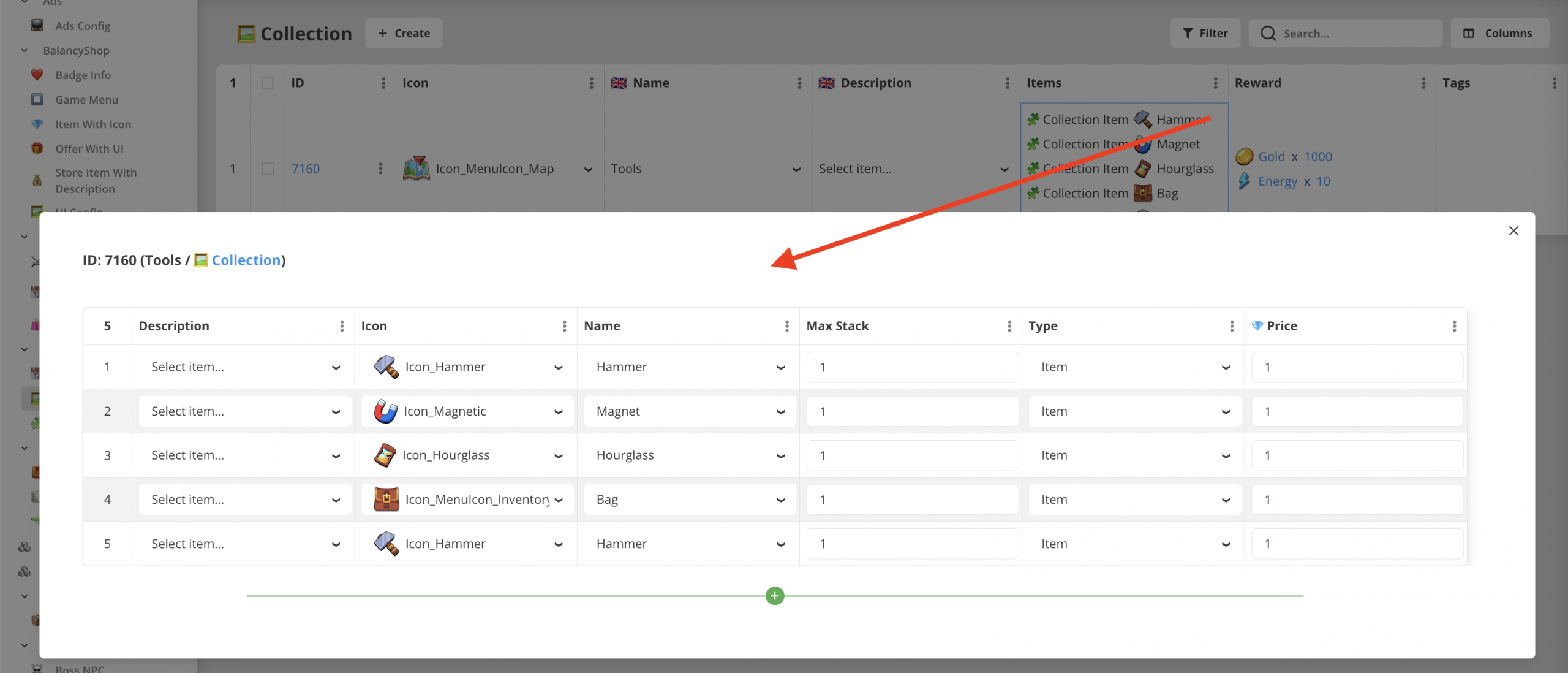
All tables also now show:
- Row numbers
- Total document count
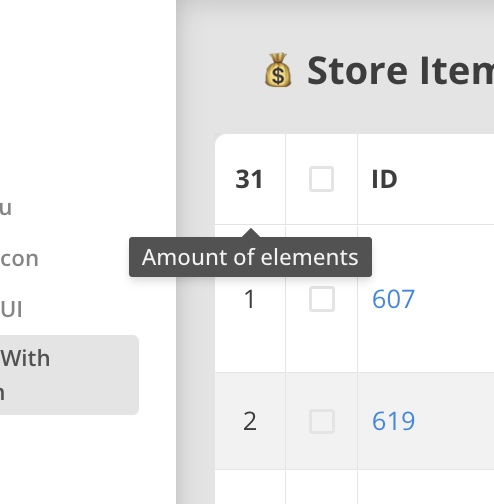
A small change, but one that makes big data sets much easier to navigate.
Addressables & Sprite System Rework
In both Plugin 5.1.0 and the Web platform, we reworked the way Balancy handles Addressables and Sprites.
The update introduces the ability to:
- Synchronize Addressables with Balancy’s CDN, and
- Load bundles dynamically at runtime.
This streamlines asset delivery pipelines, ensuring content stays in sync across environments without manual patching.
It’s the kind of invisible improvement that makes day-to-day LiveOps run noticeably smoother.
Nutaku v2 API Support
We added full support for the Nutaku V2 API, expanding the range of publishing options available to teams integrating Balancy.
This release also fixed several Addressables synchronization issues for a cleaner workflow.
Other Fixes & Improvements
- Fixed slot crashes when cleaning memory.
- Cleaned up UI and overflow issues in dropdowns and condition modals.
These tweaks ensure Balancy runs smoother even under heavy usage — especially for projects juggling large amounts of data.
Wrapping Up
May 2025 was about power and precision — putting more control directly into developers’ hands.
Whether it’s managing assets, refining scripts, or tailoring workspaces, this month’s updates made Balancy more flexible, scalable, and future-ready.
As LiveOps pipelines become more sophisticated, our goal remains the same: make the complex feel simple — and the simple feel effortless.